Hit, pluck, or bow things.
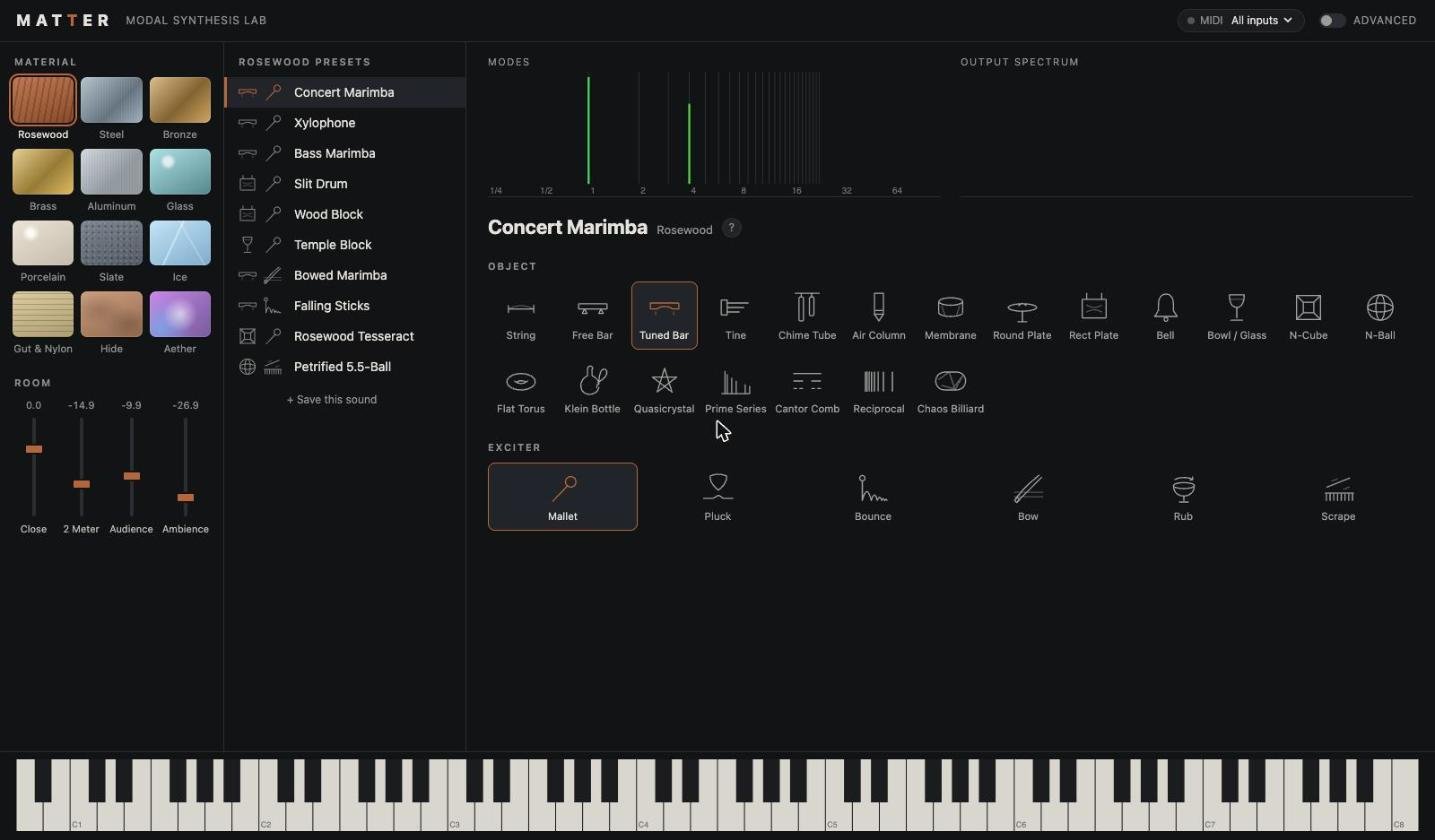
Matter is a free synthesizer that works out how a thing rings. Pick a shape, pick what it is made of, then strike it with a mallet, pluck it, bow it, bounce something off it, rub it like a wine glass, or scrape it.
Features:
- Shapes from marimba bars, bells, plates and bowls to Klein bottles, N-dimensional balls and fractals.
- Twelve materials, from rosewood, bronze and glass to ice, hide and aether.
- Presets running from ordinary to bizarre.
- Open source
Free, CC0, no account, no email. The browser version works best in Chrome. Mac plug-ins need macOS 11 or later on Apple silicon. The Windows build is still being tested.
Installing the plug-in on a Mac
- Open the disk image. Double-click the
.dmgyou downloaded. A window opens with the plug-in on the left and a folder on the right. - Drag the plug-in onto the folder beside it.
macOS asks for your password, because the AU plug-ins folder is shared by everyone on the Mac. Then eject the disk image. - Load it up.
In Logic, GarageBand or MainStage, add a software instrument track and look under AU Instruments > incompetech > Matter.
Installing the plug-in on Windows
- Unblock, then unzip. Right-click the zip, choose Properties, tick "Unblock" at the bottom if it is there, and click OK. Then right-click the zip again and choose Extract All.
- Copy the plug-in. Copy the whole
Matter.vst3folder into the folder below. Windows will ask for administrator permission. That is normal.C:\Program Files\Common Files\VST3
- Rescan in your music software. Rescan plug-ins or restart it. Look for Matter, a VST3 instrument by incompetech.
The zip also has Matter.exe, which plays without any other software. Windows may say "Windows protected your PC" the first time: click More info, then Run anyway. That appears because the program is not signed with a paid certificate.